metagit
Self-hosted git remote that mirrors your repos to several hostings and archives overwritten refs.
To a developer it looks like an ordinary git remote. metagit keeps a full copy of the repository and sends branches and tags to several git hostings: GitHub, Bitbucket, Codeberg and any other with git access.
git push metagit main
- github delivered
- codeberg queued
- bitbucket error, retry later
Why
If a project lives on one hosting, you can lose it: the account gets blocked, the hosting shuts down, a mistaken force-push wipes out the history. metagit keeps copies in several places and does not lose previous states of branches.
How it works
- metagit is the source of truth
-
Sync is one-way: changes arrive only through a push to metagit, the hostings get a copy.
- Delivery is asynchronous
-
A push succeeds as soon as metagit has saved the changes. Then metagit waits a few seconds for the delivery results and prints them in the push output:
remote: metagit: github: delivered
remote: metagit: codeberg: queued
remote: metagit: bitbucket: error: fatal: Authentication failed ... (retry later)
A failed delivery is retried automatically with a growing interval, from 15 seconds to 30 minutes.
- Only branches and tags are sent
-
Branches and tags on a hosting that metagit did not send there, for example branches for pull requests, are left alone.
- Nothing is lost
-
Before a force-push, a branch deletion or a tag move, the previous value is saved in
refs/metagit/archive/push/.... For protected branches and tags such pushes are rejected. - Changes made on a hosting
-
If a branch on a hosting was changed bypassing metagit (for example, a merge in the hosting's web interface), metagit saves the hosting's state in
refs/metagit/archive/targets/<id>/..., overwrites the branch with its own value using--force-with-leaseand records an event in the project log. - Notifications
-
The status of every target and the event log are in the web console. A command of your choice runs on delivery errors and recovery, deliveries, divergences and destructive pushes; there are ready scripts for a webhook, Telegram and email.
Web console
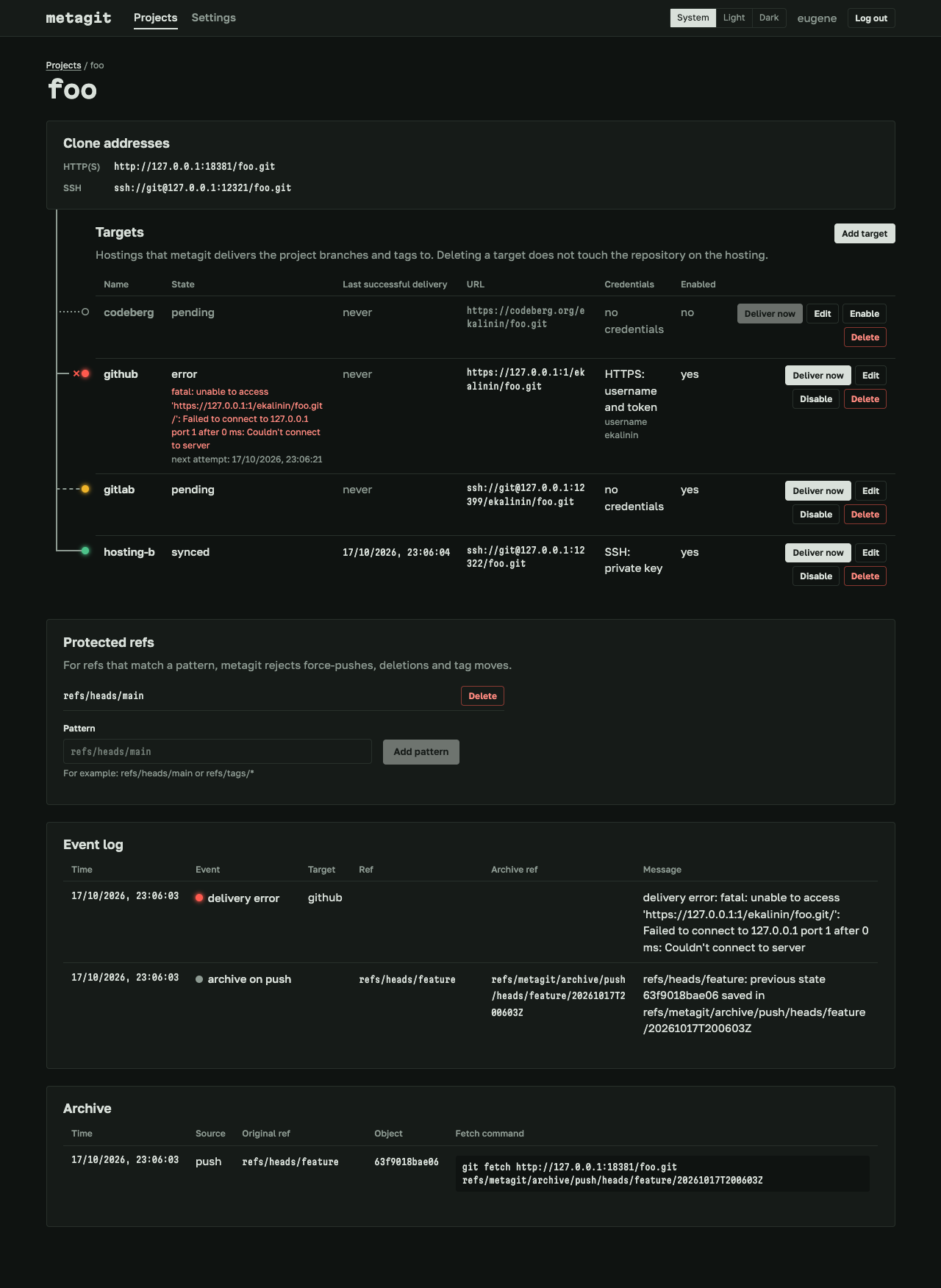
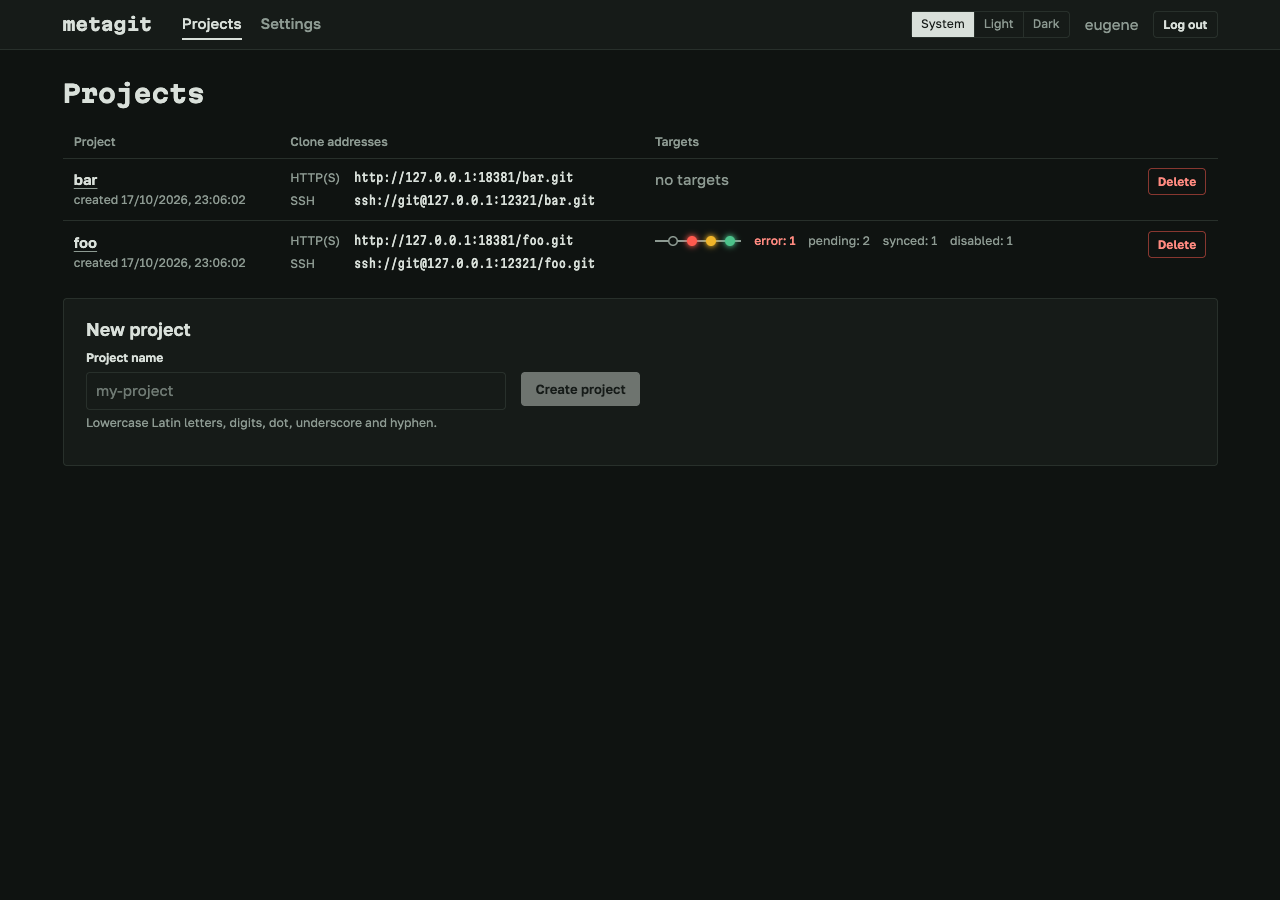
Quick start
You need Linux or macOS with git 2.32 or newer and an OpenSSH client (ssh). To build: Go 1.26 or newer, Node.js 24 or newer.
Ready binaries for Linux and macOS (amd64 and arm64) are on the releases page.
-
Build
You get one binary,
bin/metagit, with the web console built in.make build -
Create the owner
metagit has exactly one owner, and it is created only by a command on the server. The password is asked in the terminal.
./bin/metagit owner create --name dev --data-dir ./data -
Start the service
The web console, the API and git over HTTP listen on
:8080, git over SSH on:2222../bin/metagit serve --data-dir ./data -
Create a token and a project
Open the web console and sign in. In Settings, create a git access token (it is shown once) and, if you need SSH, add your public key. Then create a project.
-
Push to metagit
The project page shows its clone addresses.
# HTTP(S): any login, the password is a metagit token git remote add metagit https://git.example.com/foo.git # SSH git remote add metagit ssh://git@git.example.com:2222/foo.git git push metagit main -
Add targets
A target is a repository on a hosting: a URL and credentials. Create the repository on the hosting beforehand.
Use
https://...with a login and a token (for example, a GitHub fine-grained personal access token with write access to contents), orssh://...orgit@host:pathwith a private SSH key without a passphrase (for example, a deploy key with write access).
Installing on a server (a system user, the master key, systemd, TLS) and all metagit serve settings are described in INSTALL.md.
Security
- Run metagit as a separate system user: hosting credentials are passed to child git processes through the environment.
- Target credentials are stored encrypted (AES-256-GCM) and are not shown in the web console, logs, push output or notifications.
- The owner password is stored as an argon2id hash, sign-in attempts are rate limited.
- The SSH server accepts only the owner's keys and runs only
git-upload-packandgit-receive-pack.
Not in this version
- Git LFS, wiki, releases, issues and pull requests.
- Several users.
- Two-way sync.
- Creating repositories on hostings through their API.
- Sending archived refs to hostings.